# Snek! The First Video Game for Tabular Editor 3.
> This article is a fun one-off sharing a Tabular Editor C# script to play a Snake game.
- URL: https://data-goblins.com/snek
- Author: Kurt Buhler
- Published: 2023-03-03
- Topic: Tools and automation
# SCRIPTS WITH INPUT FOR TABULAR EDITOR
*…**get & use user input** when automating **Tabular Modeling***
---
## SCRIPTING IN TABULAR EDITOR: PRODUCTIVITY UNLEASHED

**Tabular Editor is an external tool for Power BI desktop that helps you develop better models, faster. One of the most powerful tools for Tabular Editor is the C# Scripting / Macro feature.** This lets you use available methods and libraries to programmatically manage model metadata and execute actions with the tool, from [*analyzing the dataset with VertiPaq Analyzer*](https://docs.tabulareditor.com/api/TabularEditor.Shared.Scripting.ScriptHost.html#TabularEditor_Shared_Scripting_ScriptHost_CollectVertiPaqAnalyzerStats) to [*evaluating DAX Queries*](https://docs.tabulareditor.com/api/TabularEditor.Shared.Scripting.ScriptHost.html#TabularEditor_Shared_Scripting_ScriptHost_EvaluateDax_System_String_). C# Scripting opens a wide range of possibilities for productivity enhancement and automation. They can be saved as macros to run on specific objects in a context-sensitive manner, particularly as these scripts can be executed with the [Tabular Editor Command Line Interface](https://docs.tabulareditor.com/te2/Command-line-Options.html).
Discovering the forbidden magic of C# Scripting
**The last few weeks, I have gone in deep in Tabular Editor scripting. Like, *real deep. ***It all started with needing a script to [format Power Query, automatically](https://data-goblins.com/format-power-query-automatically) and create a parameter in the dataset. Since then, I’ve been experimenting with creating scripts to take user input and use them in downstream actions. Thanks to ChatGPT, advanced C# code and concepts are much more accessible and easy to research and learn.
The result of this has been a number of helpful scripts, which I intend on sharing in the coming weeks. This has also led me to going on a Tabular Editor scripting bender, the result of which is a Snake game that works entirely within Tabular Editor 3. **The first Tabular Editor 3 console-exclusive… *Snek!***
*This article focuses on Tabular Editor 3; any mention of ‘Tabular Editor’ refers to Tabular Editor 3.*
---
---
---
## IT’S A SNEKY-SNEK!
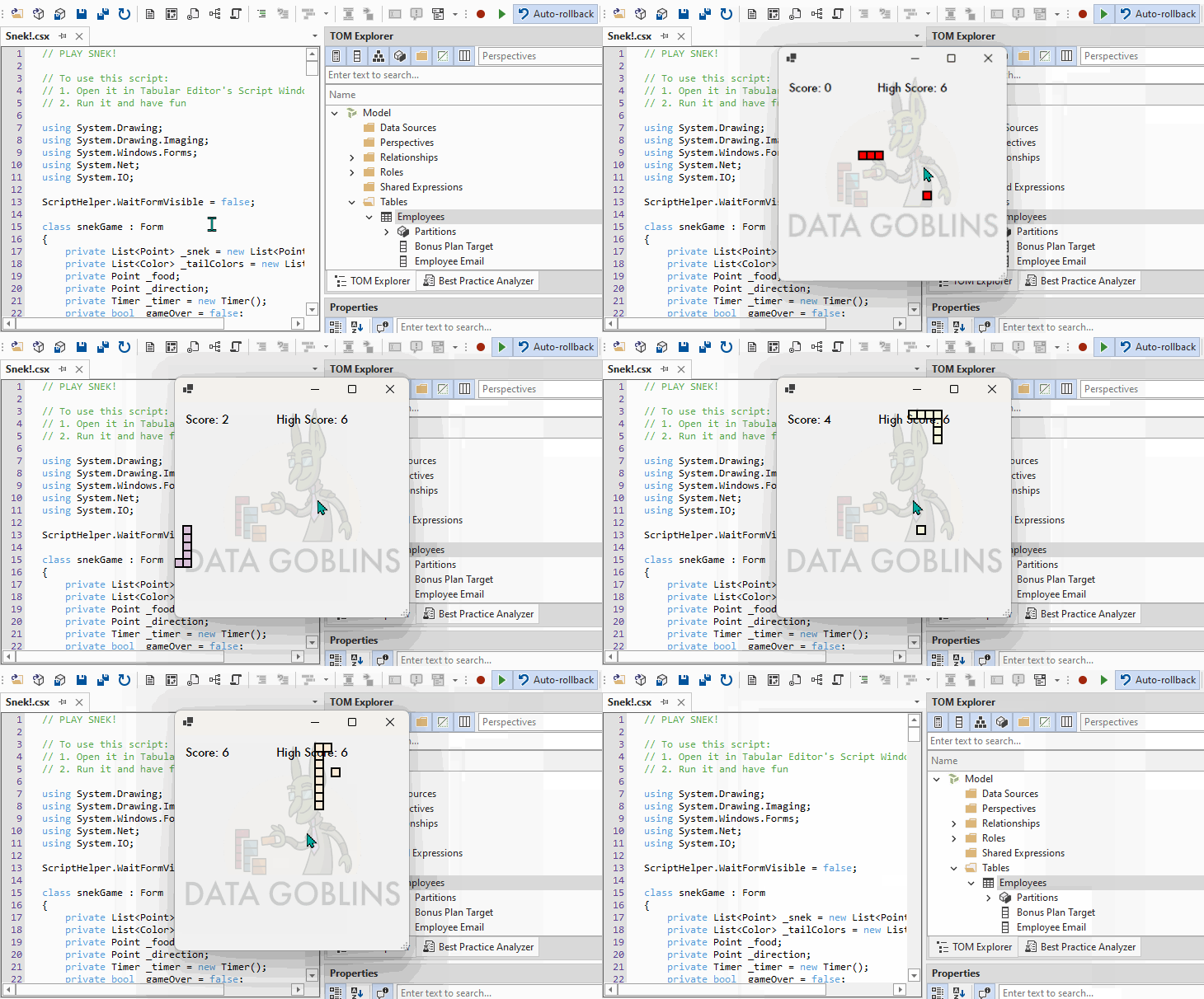
A game of Snek contained in a Tabular Editor script, and playable in Tabular Editor. Your high score is saved as an annotation to the currently open model.
**If the below script is copied into a Tabular Editor C# Script window, you can run it to play a game of Snake.** Your high score will be saved as an annotation in the currently open model. A web request is sent to get the Data Goblins logo from the data-goblins.com website. Other than that, some basic code is used to perform the typical functionalities of a Snake game. **Enjoy!**
***It works on both Tabular Editor 2 and Tabular Editor 3, assuming you have the latest versions!***
---
## TO CONCLUDE
**Tabular Editor scripting is incredibly powerful.** You can leverage the available libraries and methods in Tabular Editor to interact with the model, while also leveraging the power of the C# language to do more sophisticated operations. In this fun exercise, I experimented with attempting to create a Snake game in a Tabular Editor script / macro, to experiment with different C# elements and methods used to create scripted solutions.
*Have fun playing Snek!*
*Try for a new high score!*
*Read more about Tabular Editor scripting, for example:*
---
 ---
 ---
## IT’S A SNEKY-SNEK!
 ## TO CONCLUDE
**Tabular Editor scripting is incredibly powerful.** You can leverage the available libraries and methods in Tabular Editor to interact with the model, while also leveraging the power of the C# language to do more sophisticated operations. In this fun exercise, I experimented with attempting to create a Snake game in a Tabular Editor script / macro, to experiment with different C# elements and methods used to create scripted solutions.
*Have fun playing Snek!*
*Try for a new high score!*
*Read more about Tabular Editor scripting, for example:*
---